BYOD - What Do You Need to Consider? Is It The Best Choice For You and Your Students?
 |
| Image source: https://images.app.goo.gl/tcqkgHEdMrky4BE9A |
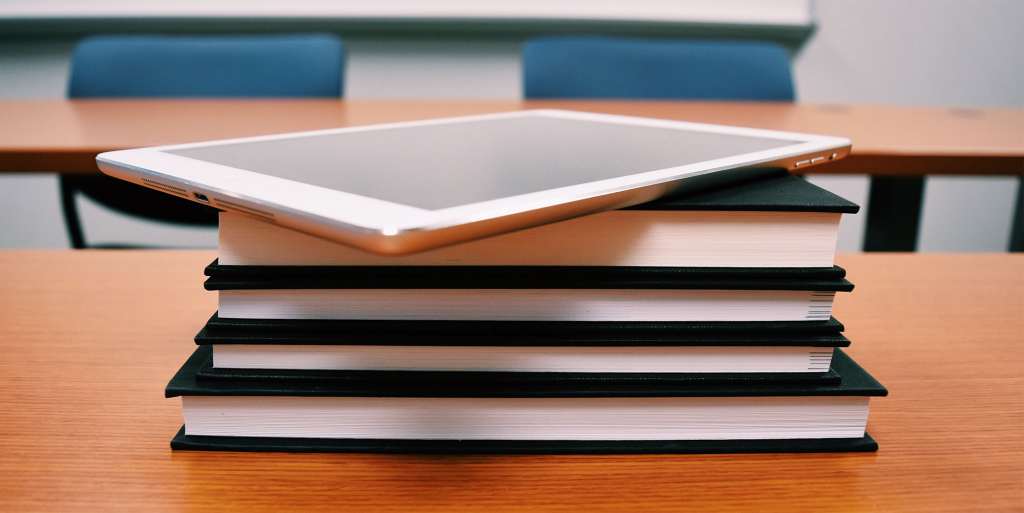
BYOD is an acronym for Bring Your Own Device. Many students have their own device or their families own one, either a smartphone, tablet or laptop computer. Educators and school boards are beginning to revise their policies and are allowing students to bring their personal devices to school each day.
But is this best choice for your classroom? Educators must weigh the benefits and possible obstacles of students being able to BYOD in their classrooms before deciding if it is the right choice for their students and school community.
 |
| Image Source: https://www.pickr.com.au/qa/2017/byod-how-long-should-student-laptops-last/ |
Benefits of BYOD in Your Classroom
- The World Is At Your Students Finger Tips -Students are able to find answers to their questions within seconds. Students are able to collaborate and be creative with their peers. Inquiries start to become student driven instead of teacher guided. Students are able to pose open ended questions, narrow their inquiries and find answers to their inquiries.
- Devices Are Not Seen as Distractions But As 'Vehicles For Learning' ( Kristin Rushowy -In Peel schools, the policy is BYOD: ‘bring your own device’): Students learn how to effectively use their technology as a tool for learning and their role as digital citizens. When students are engaged and excited about in their learning, they will not be distracted and misuse their technology. Educators must be monitoring their students and if a student is off-task find the reason why and refocus them.
- Communication Increases: Students are expected to be in communication with their peers and teachers. Teachers are able to send frequent, personalized feedback and students are able to immediately make changes to their work. Students are able to collaborate and communicate with their peers, who are also on their own devices, to complete their group's work together or from different locations.
Possible Obstacles of BYOD In Your Classroom
- Creates Inequalities - Not all students are able to afford personal devices, creating inequalities between students in classrooms, those who can afford devices and those whose families cannot afford technology or even afford to feed their children three meals a day.
- Not All Devices Have the Same Capabilities - Not all devices are created equal! What students are able to do with a smartphone or a tablet may differ greatly from what students are able to create with a laptop computer. How do educators create equal opportunities for their students if their devices do not have the same capabilities?
- Not All Educators Feel Comfortable - Not all educators feel comfortable with using technology themselves and using technology with their students makes them feel anxious. Teacher anxiousness may lead to fewer opportunities for students to use technology.
- Can Your School Board Support BYOD? - With students in multiple BYOD classes, it is essential that your school board has upgrade their bandwidth to accommodate the increased number of users on the school Wifi. Students will get frustrated with slow apps or browsers and will become easily distracted.
- Technology Is Constantly Changing - Technology is constantly updating, new apps are being developed everyday. Parents and Guardians may have to upgrade their child's device every 2-3 years to avoid outdated technology. How do parents know what to buy and what will be their best investment? Will parents be able to afford regularly updating devices for their children?
- Ontario Government To Ban Cellphones in Classrooms: The Ontario Provincial Government announced March 12, 2019 that cellphones will be banned during instructional times beginning in the 2019-2020 school year. If students are not allowed to use cellphones as their personal devices, will students and families be able to afford to purchase additional devices to support BYOD in classrooms?
Ultimately, educators have to consider all the benefits and possible obstacles of BYOD. Will this be an effective pedagogical approach in your classroom and school community? What possible obstacles do you think you might personally encounter? Educators must decide what is the best choice for their students and school community.
References:
Einhorn, Susan. (October 30, 2011). BYOD - Worst Idea of the 21st Century? Retrieved from: http://stager.tv/blog/?p=2397
Einhorn, Susan. (June 17, 2014). News and Thoughts: BYOD the Next Big Thing: I Do Not Think So. Retrieved from: http://beta.aalf.org/blog.php/SusanEinhorn/view?PostID=795
Jones, Allison. (March 12, 2019). Ontario To Ban Cellphones In Classrooms Next School Year. Retrieved from: https://www.cbc.ca/news/canada/toronto/ontario-school-classroom-cellphone-ban-1.5052564
McCrea, Bridget. (February 10, 2015). 9 IT Best Practices for BYOD Districts. Retrieved from: https://thejournal.com/articles/2015/02/10/9-it-best-practices-for-byod-districts.aspx
Rushowy, Kristin. (March 28,2012). In Peel schools, the policy is BYOD: ‘bring your own device’. Retrieved from: https://www.thestar.com/life/parent/2012/03/28/in_peel_schools_the_policy_is_byod_bring_your_own_device.html
Stark, Leigh. (February 9, 2017). BYOD and the perils of time: how long should student laptops last? Retrieved from: https://www.pickr.com.au/qa/2017/byod-how-long-should-student-laptops-last/
Watanabe-Crockett, Lee. (August 15, 2015). 6 Benefits of BYOD In The Classroom. Retrieved from: https://www.wabisabilearning.com/blog/6-benefits-byod-classroom
Congratulations on your first ever blog post! You make good points on both sides of the argument. Of particular interest to me is inequity piece - how a smartphone, while an amazing pocket computer with incredible capabilities, cannot allow for nearly the same type of interaction and creation as a laptop computer can.
ReplyDeleteAnd is it just me, or has the government's position on the cell phone ban been pretty flaky ever since they announced it? It seemed like at first it was intended to be a "no exceptions" type of policy, and then little by little they started backing down, recognizing that they wouldn't be able to fund providing devices to students.
Thank you Jen! For some students the only device they have access to is a smartphone and it can be a steep learning curve especially if their teacher is not comfortable and has not embraced technology in the classroom.
DeleteI have to agree! The government initially was very strict about their policy but I am not sure how it can actually be implemented. It will be interesting to see the impact in September.